How to File GSTR-1
This is the step by step guide to file the GST returns.
STEP 1:Go to gst.anetz.in

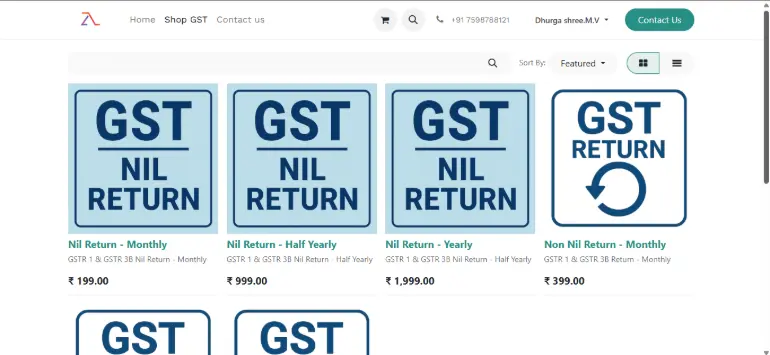
STEP 1: Purchase the GST pack from "Shop GST".
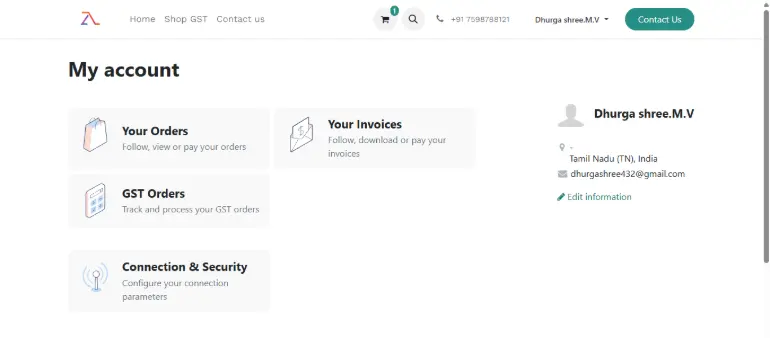
Step 3: Go to "My Account" < "GST Orders"
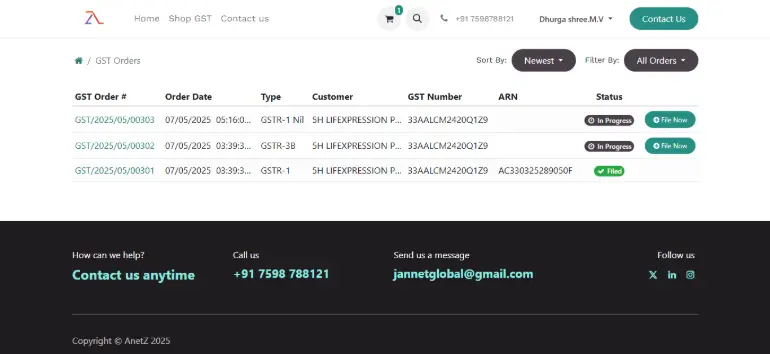
Step 4: GST Pack which you have purchased will be reflect in "GST Orders" Dashboard .Click on the "File Now" to start your filing process
Step 5: Fill the GST number and then "Validate". Once the validation was successful the Address and other information will be filled automatically.
Details Req: 1.GSTIN
2.GST Username
3.PAN No >Authorized Signatory PAN No
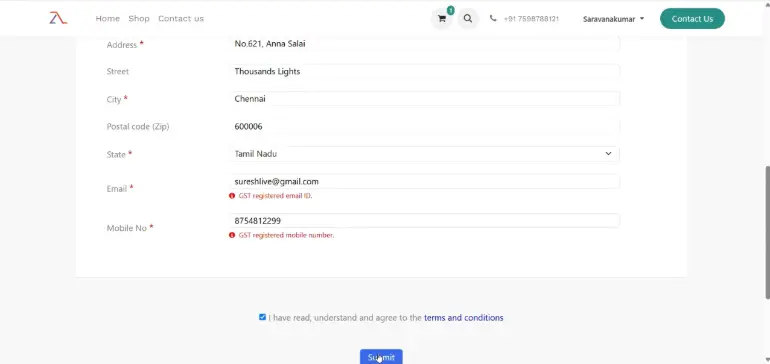
4.GST Registered Email id
5.GST Registered Mobile No
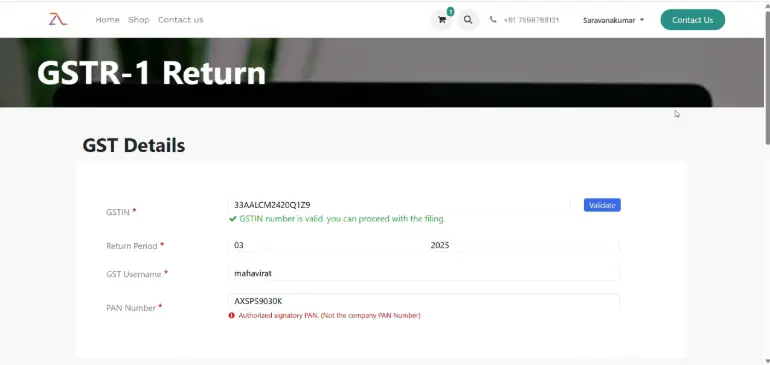
Step 6: After entering all the details click on "Submit".
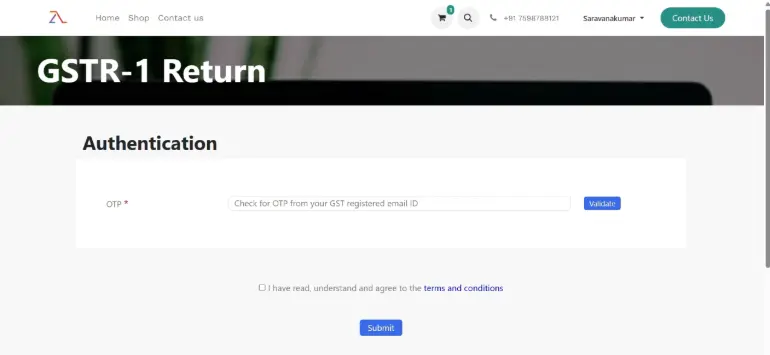
Step 7: You will OTP from your GST Registered mail . Enter the OTP
Step 8: Validate < Submit.
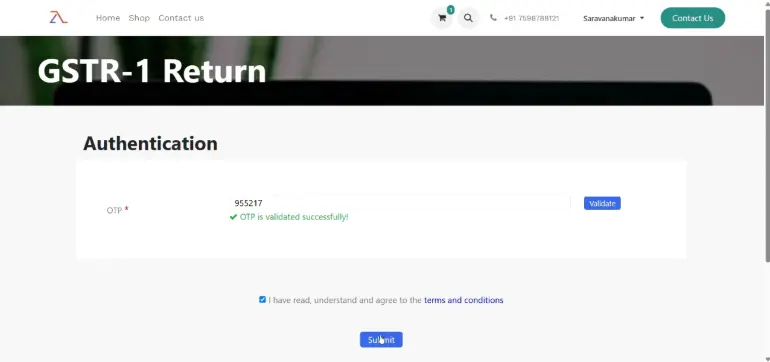
Step 9: After successful submission it will redirect into GSTR Filing page.
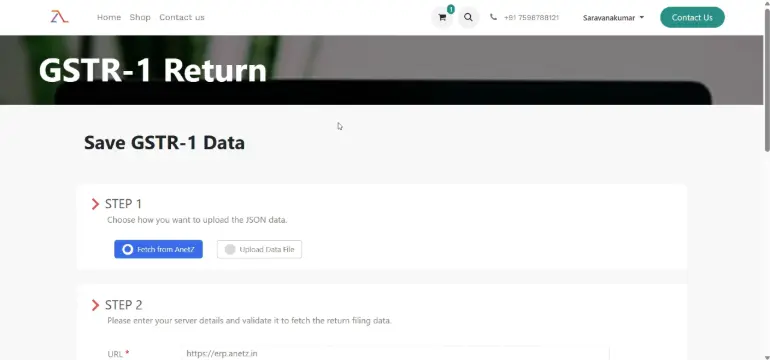
Step 10: In this page you will find step by step procedure for GSTR filing
You can upload your Excel data file from Zoho ,Tally , JSON file, GST Offline utility File Format.
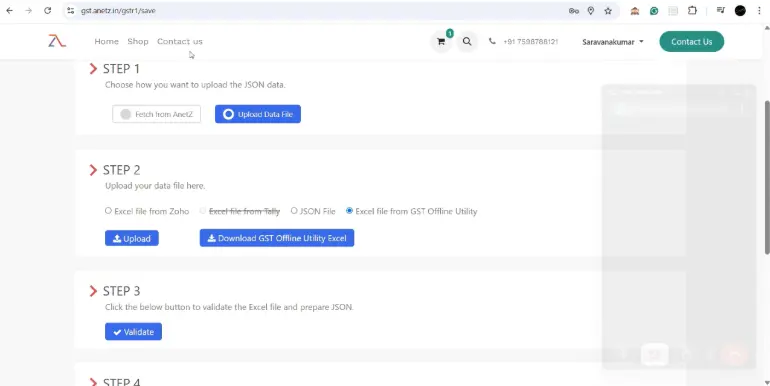
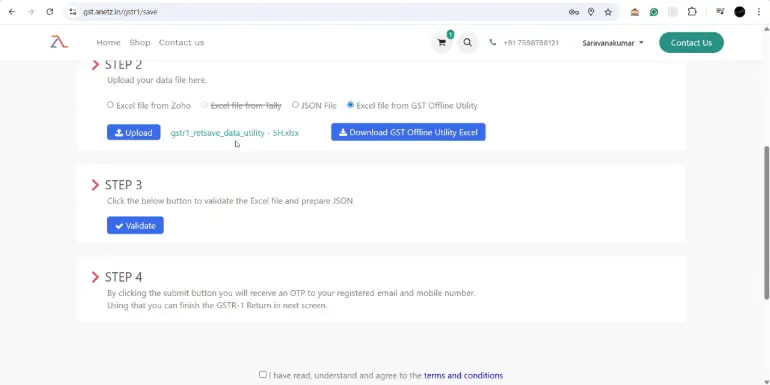
Step 11: After uploading the respective file Validate and then Submit.
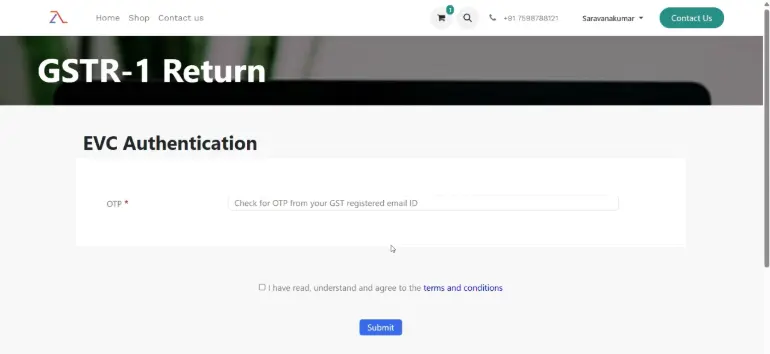
Step 12 : Enter the OTP for EVC Authentication and then submit
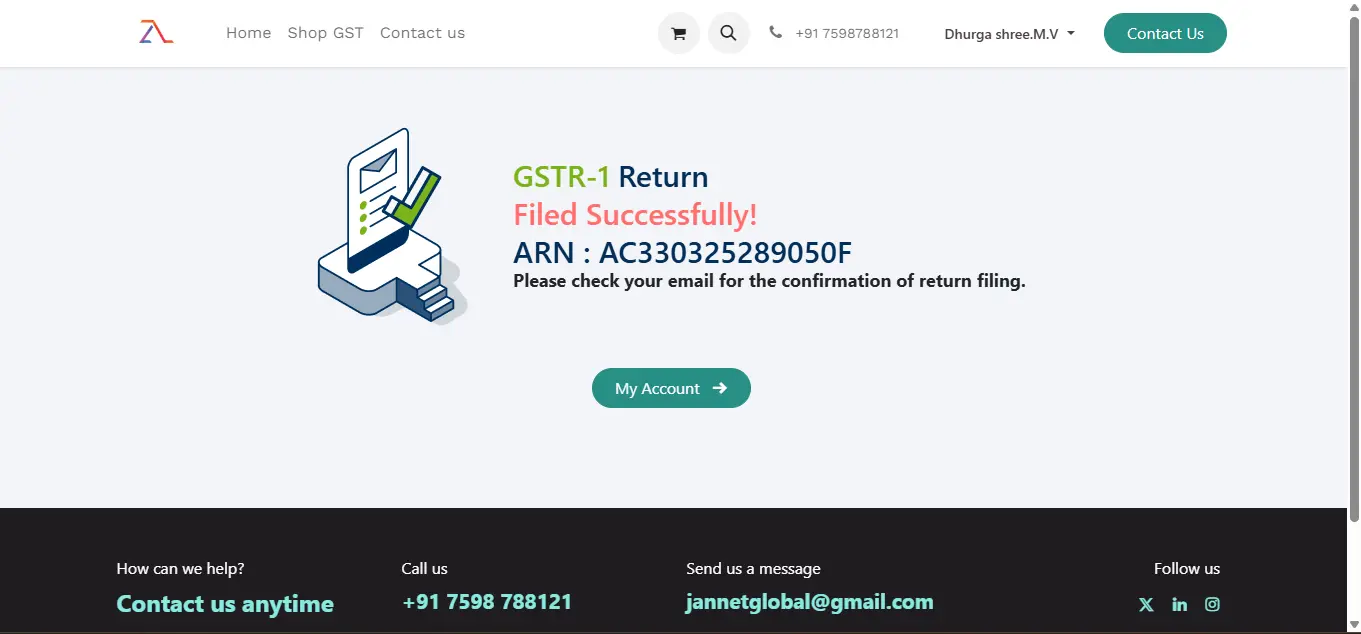
Step 13: After successful filing you will get ARN Number .